Why juggle devices?
TerpMate seamlessly operates alongside
meeting platforms like Zoom or Teams on the same
machine - offline ASR, glossary tools, and other live interpretation support, all without a second device.
No split attention on two devices.
Focus on your craft, not your workflow


No Internet, No Problem
Perfect for use onsite or in restricted environments

No sharing: Data lives and dies on your device
No third parties accessing your data

Develped and tested in live interpreting environments, with design decisions driven by real cognitive load, not theoretical workflows

TerpMate Community Version is free to use, with no subscriptions, no usage limits, and no hidden costs

No flashing text, no constant monitoring, no forced interaction
TerpMate respects the primacy of listening, by staying invisible until you need it

Record floor and interpreter simultaneously, allowing synchronized playback with pan-balance or isolated listening
A powerful companion for self-review, training, and performance analysis

Intuitive pause and resume controls, between speaker and interpreter
No distraction, no unnecessary interaction, just reliable reference when precision matters
“Interpreters aren’t IT specialists - they’re communicators.
TERPMATE strips away the tech chaos so you can reclaim what matters: your craft.
This isn’t just software. It’s the end of compromise.”
– CEO, Green Terp Technologies

Open Zoom, Teams, or any platform. TerpMate runs in the background

100% on delivery, 0% on tech chaos with glossary integrated real-time ASR and synchronized bilingual script reader to stay on pace with speakers

Real-Time Speech Recognition, Zero Internet Required

Custom Glossaries for Live Reminders

Guarantee 100% Accuracy

Grow Your Glossary Instantly

Pin TerpMate for Uninterrupted Workflow

Translate, Edit, Scroll, Highlight in Perfect Harmony
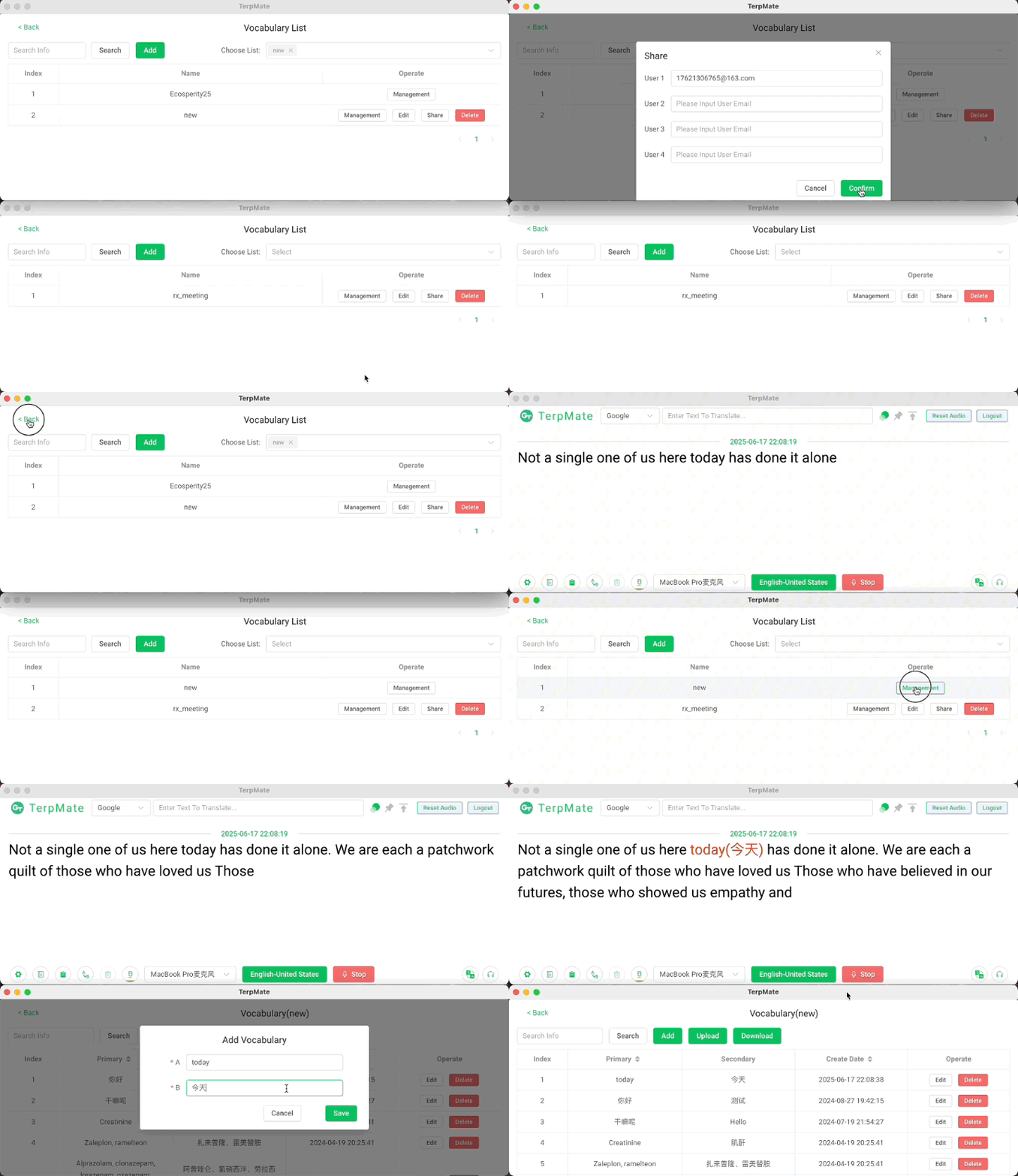
Boothparnters can share the same glossary
and add new glossary on-the-go
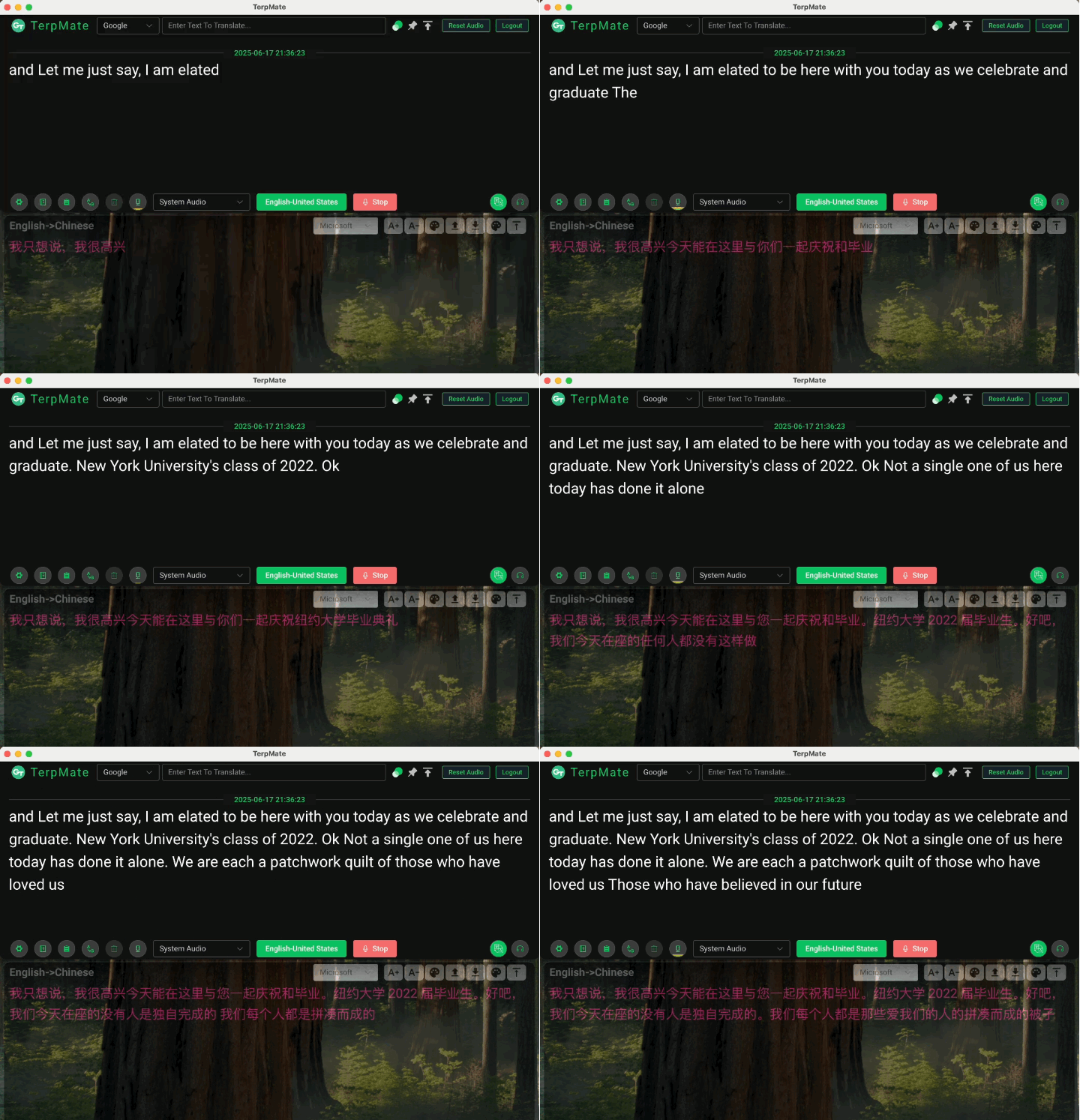
real-time AI translation result from ASR is shown as reference
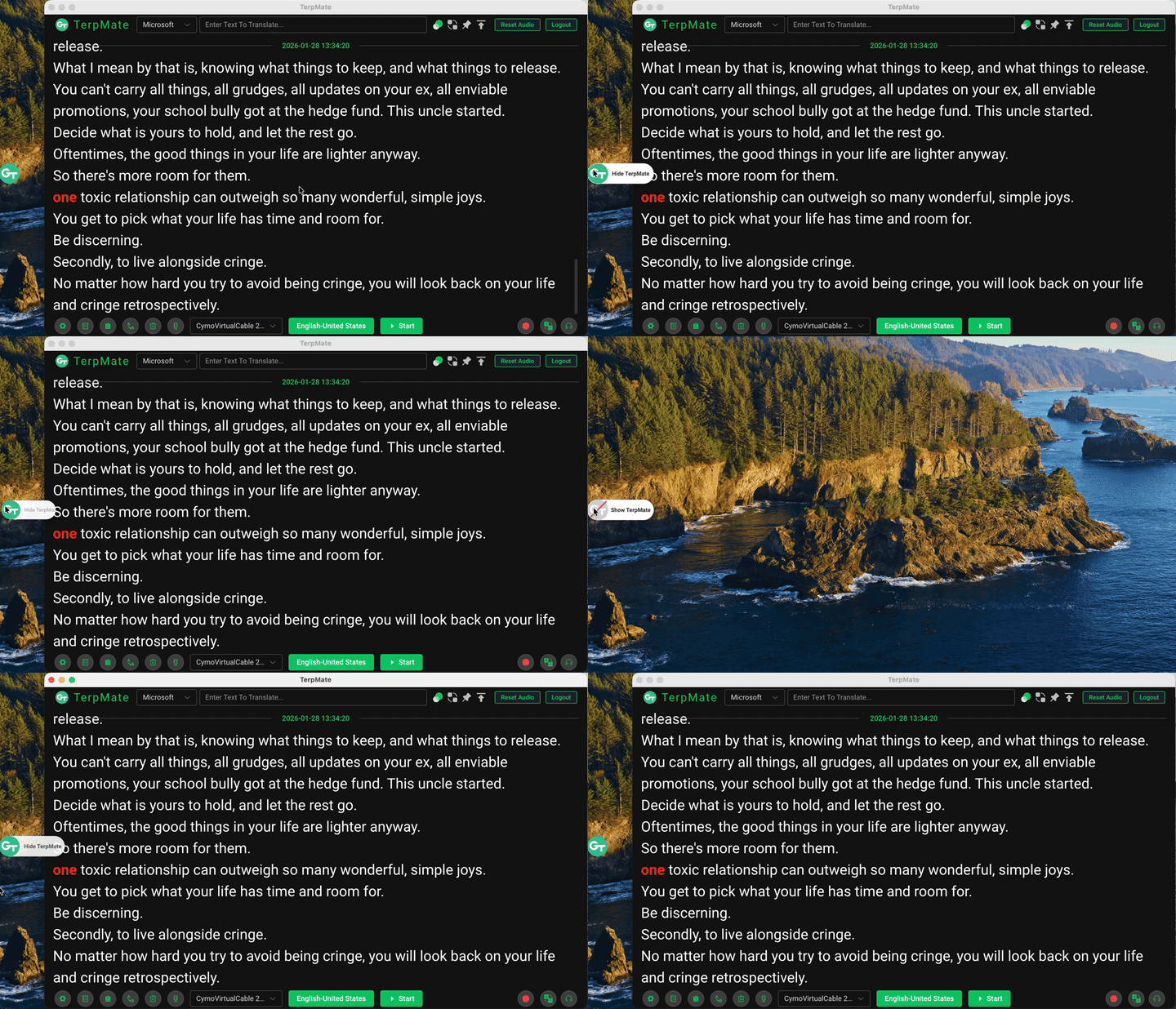
Click to display or hide TerpMate ASR and
full-text translation windows
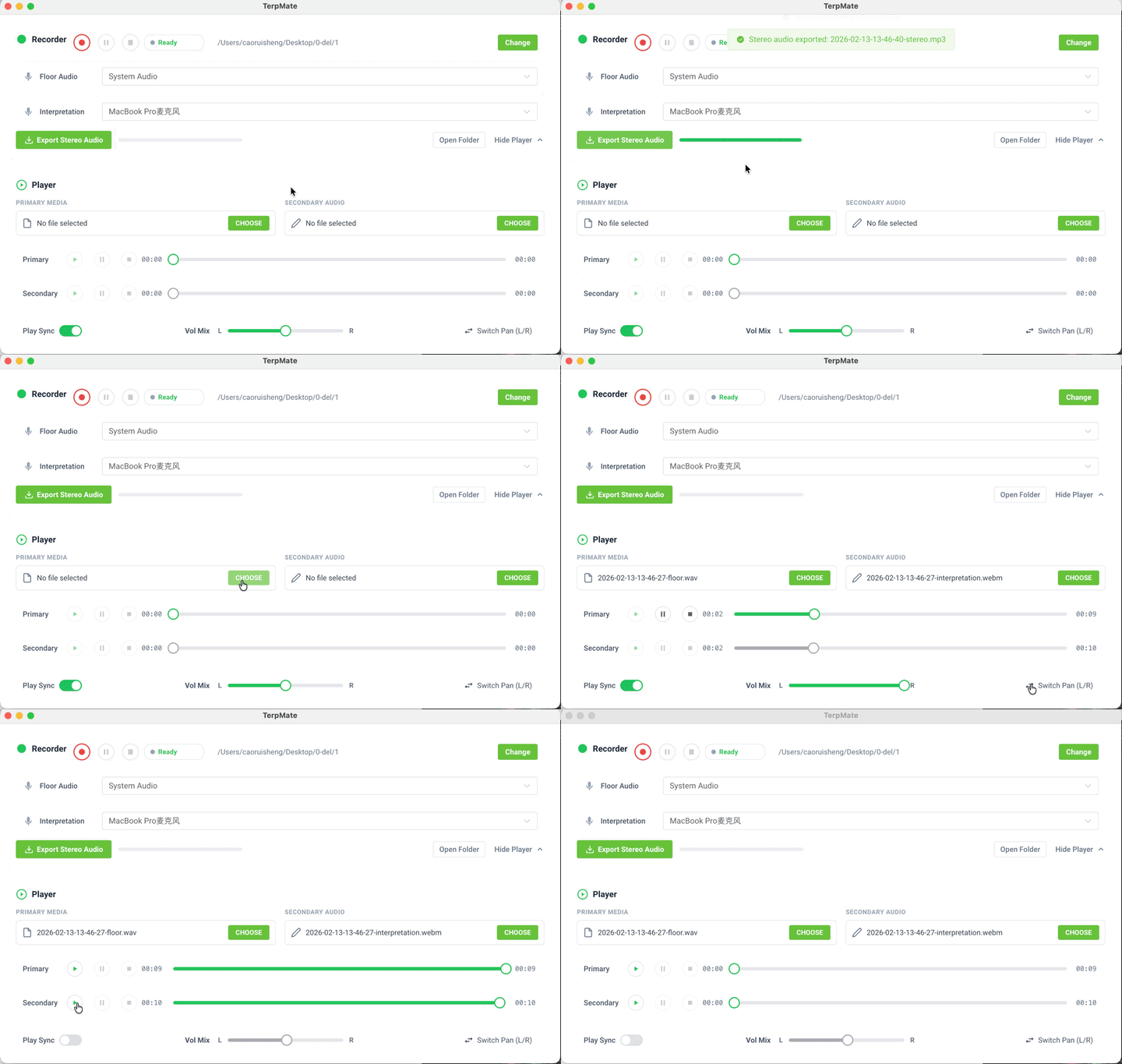
Record floor and interpreter, export to stereo audio, and play them
in sync with pan balance
“I felt so fortunate to have tested TerpMate during its Beta test. It’s a dream CAI tool I wished for. I finally stopped taking two laptops during assignments. I bring it to the booth and I also it with my online meetings, all in just one machine—effortless and secure.”
– Natalie, Conference Interpreter


Supports simultaneous audio input (microphone/LINE-IN) and ASR processing without lag

Supports simultaneous audio input (microphone/LINE-IN) and ASR processing without lag

Supports simultaneous audio input (microphone/LINE-IN) and ASR processing without lag
for system audio when using GT-Online ASR
.svg)
.svg)


